Case study · PNL Inventory
Inventory for a stone shop, from box to go-live
A stone fabrication shop needed to know what was on its racks, what got made, and what left the building. This is how that went from a hardware order to a crew scanning labels on their own phones.
- Client
- Cediva Stone Work, a stone fabrication shop
- Live
- September 29, 2026, installed on site
- My role
- Scoping, hardware, build, install, and support
- Stack
- Next.js, Postgres, Prisma, Raspberry Pi, Zebra ZPL
- Any printer brand of network label printer, sent jobs by the server
- Any phone works as the scanner, no dedicated handheld required
- EN / ES full Spanish for the crew, English where the owner wants it
Picking hardware that would not lock them in
I helped the owner choose and source the kit: a Zebra ZD420 label printer, a 15,600-label supply of 2 by 1 inch thermal labels, and an optional Zebra handheld scanner. The one hard rule was that the printer had to be on the network. A USB-only model would have tied printing to a single computer, so it was ruled out early.
Then the handheld order fell through. The seller never shipped it. Rather than wait on a replacement, I made phones the scanner. Camera scanning was already built into the app, so I tuned it against real printed labels on an iPhone: a fixed aiming box so it never grabs the label next door, a short lock-on, and a beep that works with the ringer off.
The bigger decision came out of that. The phone never talks to the printer. The server does. A phone scans, the app decides what to print, and the server sends the label straight to the printer. That keeps any phone and any brand of network label printer interchangeable, and it removed the only piece of the design that only worked on Zebra handhelds.
Install day, and the problem nobody had planned for
The app is hosted in the cloud. The printer sits on the shop's WiFi behind its router. The cloud cannot reach into a private shop network, which is exactly what you want from a router and exactly what stops a label from printing.
The fix was a small print relay that runs inside the shop and only ever reaches outward. It checks the app for queued labels and hands them to the printer, with no port forwarding and no holes in the shop's firewall. I deployed it on a Raspberry Pi on the shop WiFi, locked the Pi down to a private management network so I can support it remotely, reboot-tested it, and turned off the printer's power-saving sleep so it would not drop off the network between jobs. The Pi went in during the same visit, the crew started scanning the next morning, and they have used it every day since.
Watching it after go-live
A shop printer that silently drops off WiFi looks, to the crew, like the app is broken. So the Pi also runs a printer uptime logger. When the printer went unreachable overnight on the first night, the log said exactly when, which turns a vague "printing is down" into a concrete question: was it switched off, or is the signal weak where it sits?
Changing it to fit how the shop works
After the first demo the owner asked for something simpler. The full app covered locations, kits, and stock movements; the crew mostly needed to make a piece, label it, and hand it off. So I built a simple mode around their day:
- A home screen with a few large actions instead of the full navigation.
- Make: record a finished piece and print its label, with per-label tags.
- Handoff: the partner scans pieces out at the door, and that scan is the receipt. Anything short or unexpected gets flagged for the owner instead of blocking the handoff.
- An owner review inbox for those flags, a This week view with CSV export, and a weekly report email every Monday morning.
- Readability fixes from watching it used: quantities printed large right under the name on each tag, and numbers formatted the way each language reads them.
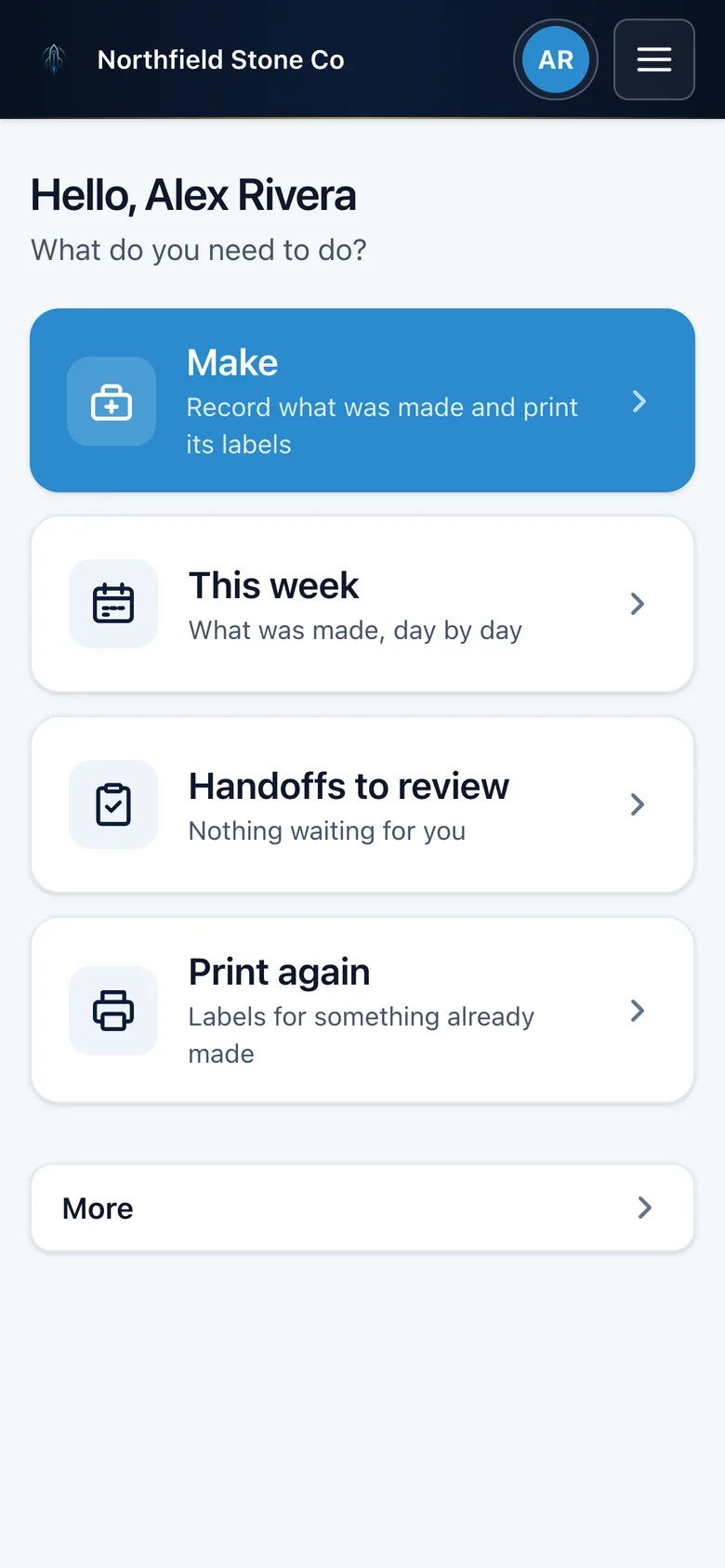
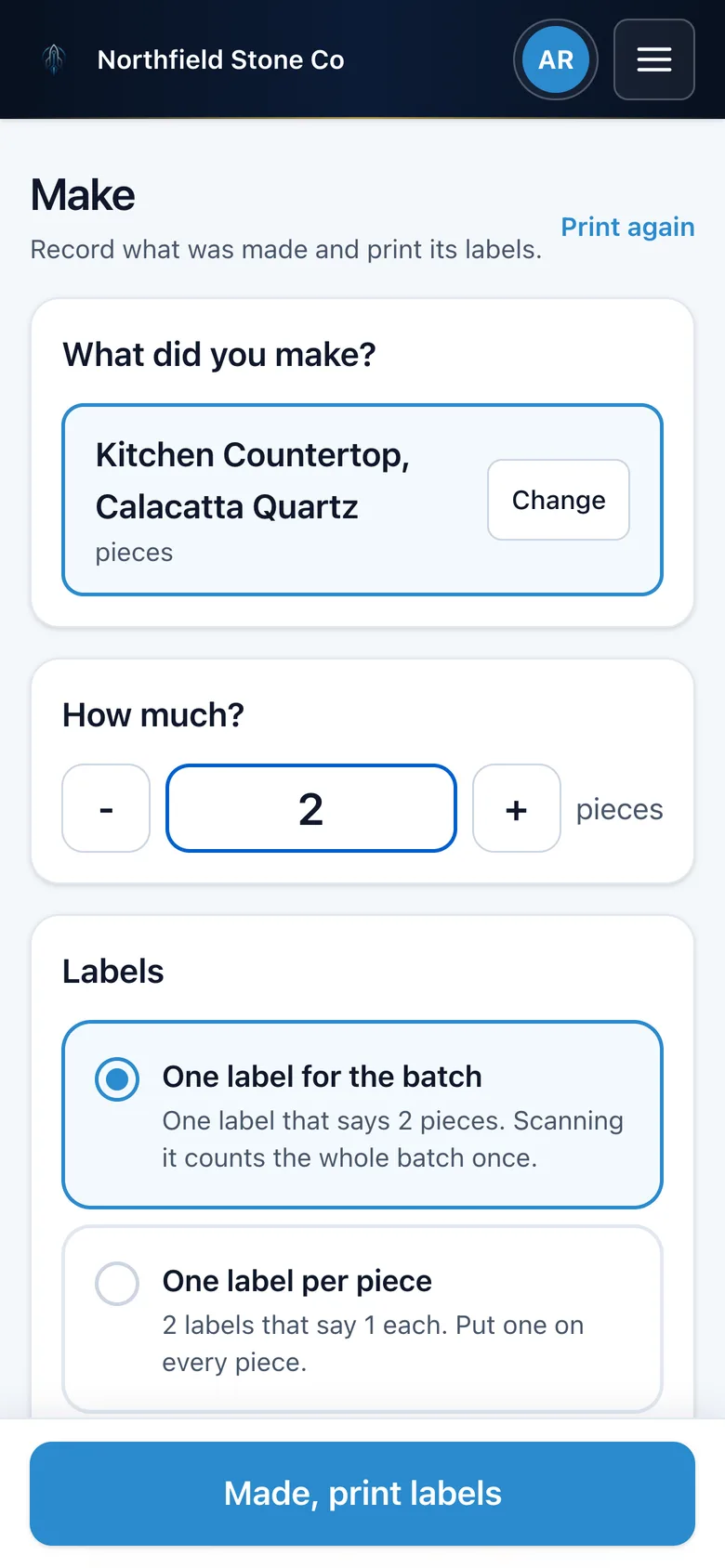
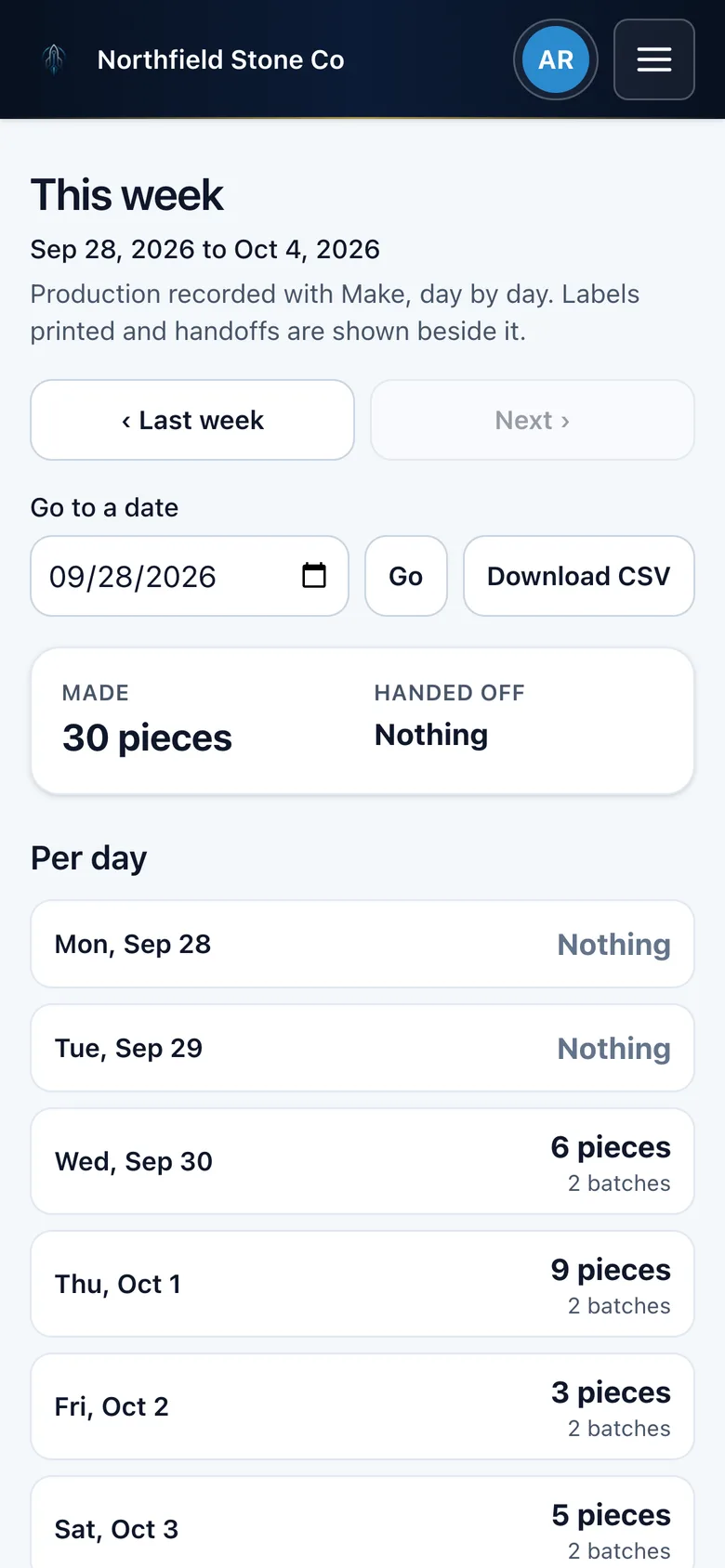
Screens shown with demo data.
Under the hood
- Next.js and Postgres, with an append-only stock ledger as the source of truth, so every on-hand number can be traced back to the scans that produced it.
- Multi-tenant on the shared Proto Node Labs sign-in system. Crew members use the same PIN they already clock in with on the timesheet app.
- An installable web app with offline-ready assets and an in-browser barcode decoder, so there is no app store between the shop and an update.
- Labels are generated as raw ZPL and sent to the printer over the network, with printer address and resolution set per business.
- Full English and Spanish interface, with a shop glossary so the Spanish reads like the crew talks.
- More than 700 automated tests, plus a browser pass on a phone-sized screen before every release. Releases go out after shop hours so nobody's screen reloads mid-task.